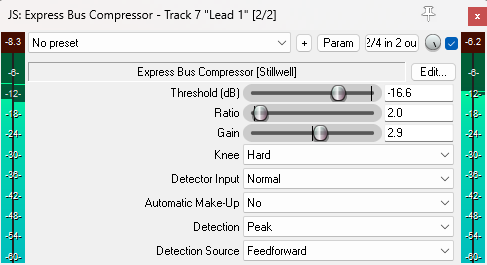
Typical JSFX User Interface reminds of Windows 98 Theme (Express Bus Compressor by Stillwell)
One of the great things about REAPER is its extensive collection of JSFX plugins. It includes just about everything you need for music production: EQs, compressors, saturators, clippers, stereo-width tools, delays, reverbs, and much more. Thanks to REAPER’s simple scripting language, anyone can create their own audio effects. On the flip side, quality of the FX varies quite a bit. There’s no doubt that there are many great-sounding JSFX out there, but there are also some that are a bit quirky or even buggy.
Role of the User Interface
Perhaps the biggest criticism of JSFX is that the graphical user interfaces look straight out of the Windows 98 operating system. In response, some developers (e.g. Justin Johnson, Tukan Studios, Geraint Luff, Saike (Joep Vanlier), ZenoMOD, embeDDed) have put a significant amount of effort into writing nice-looking user interfaces. Writing a nice GUI in JSFX usually involves thousands of lines of code (ReEQ contains more than 5000 lines, VariBus Comp S2 almost 2000). The actual DSP takes up only a small portion of the total code. This effort is greatly appreciated and considered a generous gift to the community. However, the majority of JSFX plugins still come with the default, outdated-looking GUI.
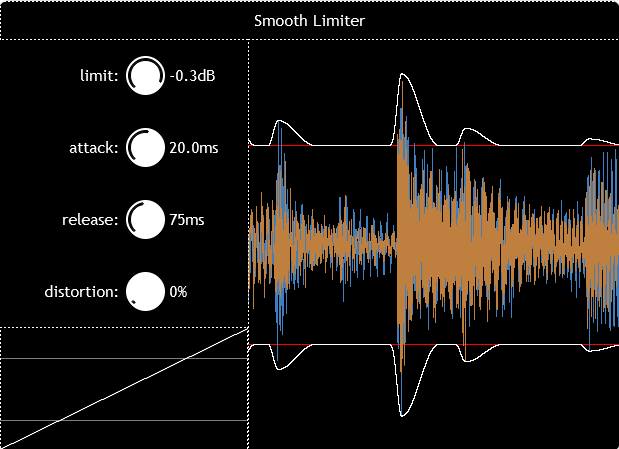
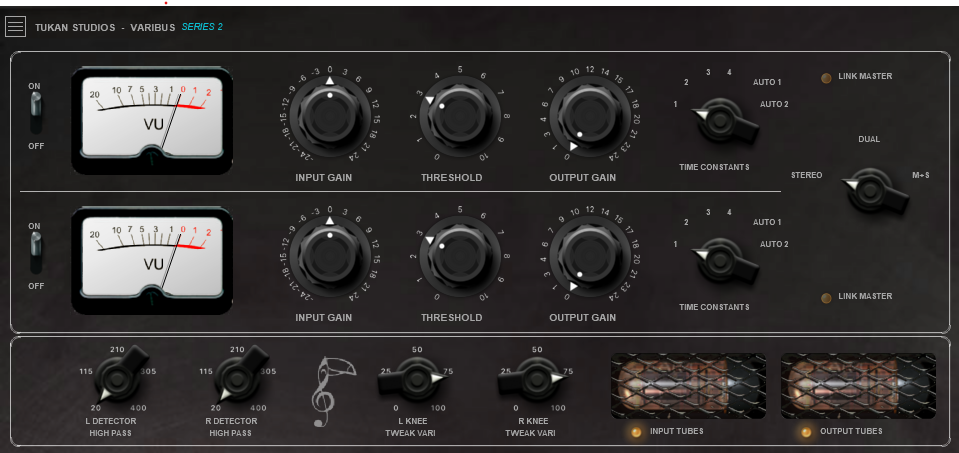
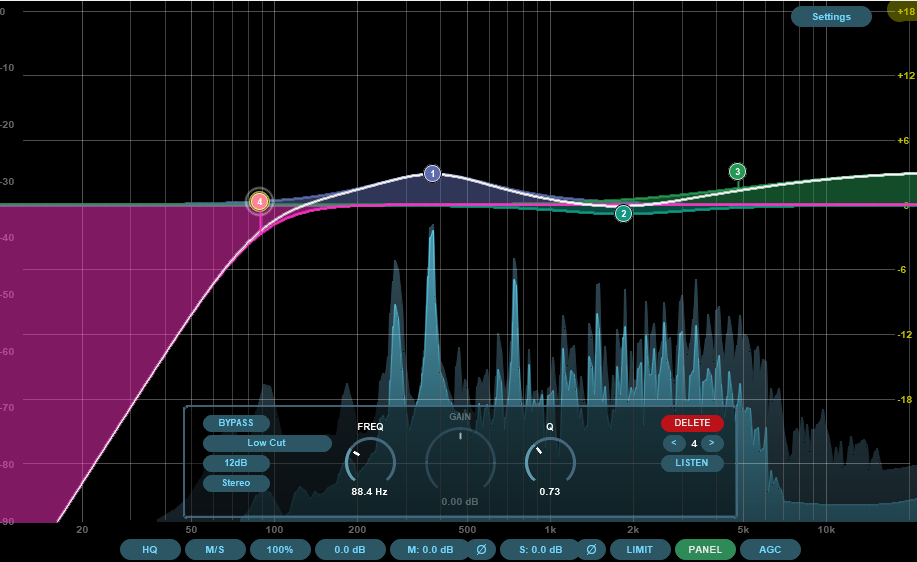
A basic GUI is not necessarily a bad thing. Modern VST plugins rely very heavily on visual feedback. This is supposed to help us mix. But in practice, our eyes and our ears sometime produce contradicting decisions. This is particularly an issue with graphic EQs. Working with a simplified GUI forces us to make decisions with our ears. And that's a good thing, in my opinion.
The bigger issue with JSFX is not that the user interface looks dated, but that the slider often feel fiddly and awkward. Fortunately, that has nothing to do with JSFX itself, but rather how the sliders are set up.
Default Values & Range
To demonstrate the issue, let’s look at a simple volume-adjustment plugin. The default value is set to 6 dB. So, loading the plugin into my signal chain automatically makes my track louder. I don’t like that. So let’s fix it.
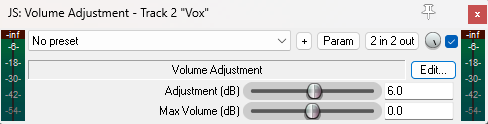
Volume Adjustment JSFX by Cockos. Default value of the adjustment is set to 6 dB.
To do so, let’s click the “Edit” button, and the JSFX code editor pops up. Now, regardless of the JSFX plugin, the slider settings are always located close to the top of the text file. There we can see that the default value of slider 1 is indeed set to 6 dB. If we want to change it, we simply change that value and hit save.
Another annoyance is that the slider feels way to sensitive. A small excursion already produces a 60 dB volume change. That’s because the slider’s range goes all the way from −150 dB to +150 dB. I don’t know about you, but I can’t think of an application where I’d need to boost or cut a signal by 150 dB.
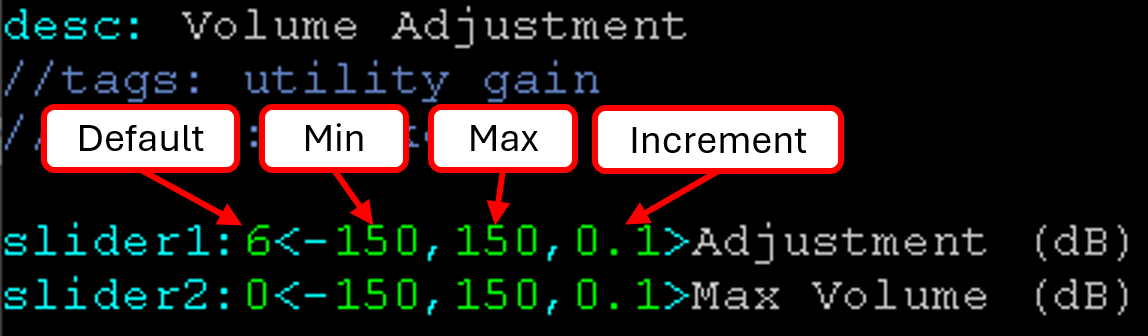
Explanation of the slider definition in JSFX: From left to right: default value, minimum value, maximum value, increment
We can change the range by adjusting the minimum and maximum value of the slider. For a volume adjustment tool, +-24 dB is more reasonable. The third value in the pointy bracket defines the resolution or increment of the slider value: 0.1 dB is a reasonable choice.
With those two changes, the slider now feels much smoother to operate, and the FX loads with the desired default behavior.
Slider Scaling: Linear vs Logarithmic
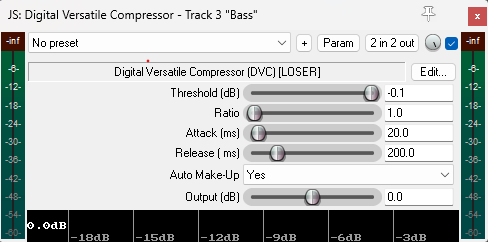
Attack & release times of the Digital Versatile Compressor are scaled linearly, which makes it difficult to precisely dial in short attack times
Another tweak I want to show you is changing the scaling behavior of the slider. This is particularly helpful when you have a parameter that requires a large range. Let's have a look at the 'digital versatile compressor'. It’s very fiddly to dial in attack times shorter than 30 ms. But this is where all the interesting transient shaping action happens when mixing drums. This basically makes this compressor unusable for mixing drums.
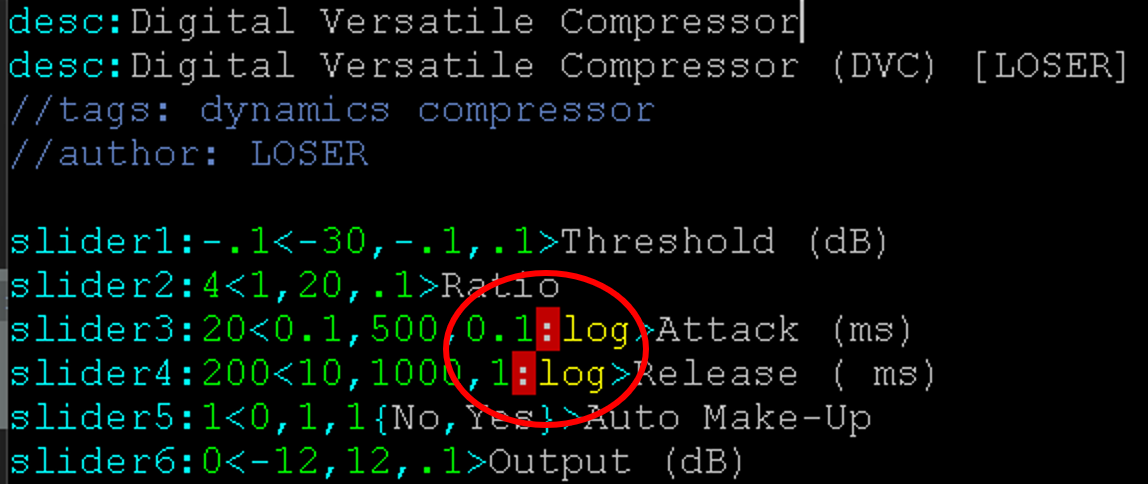
Adding “:log” to the increment value changes the slider scaling from linear to logarithmic. This often feels more natural when a large parameter range is needed
But we can improve the feel of the slider by switching to a logarithmic scaling. Let's open the Edit window again, and add a “:log” next to the slider increment. In this specific example, this won't yet work, because the attack time starts at 0, and the log of zero is not defined. Well, the most practical solution is to simply limit the fastest attack to 0.1 ms, and while we are here, I also reduce the increment to 0.1 ms. Let’s hit Save and try it out.
And now roughly 2/3 of the sliders range covers the 0.1 to 30 ms span used for shaping drums, but we can still go all the way to 500 ms if we wanted to.
Summary
Default values, range and scaling behavior has a strong effect on the user-friendliness of a audio plugin. I showed you how to modify the slider behavior of JSFX plugins. Hopefully you can apply it to your favorite JSFX!
